Skillset Management
DevelopNow > Skillset Management
Description
As a CPD admin, I have the ability to manage the Skills available in each skillset, which means I can be sure that the right skills are being assigned to users on SkillsNow.
Applicable User Roles
List of roles that have access or can use this feature.
CPD Admin
How To
Manage Skillsets
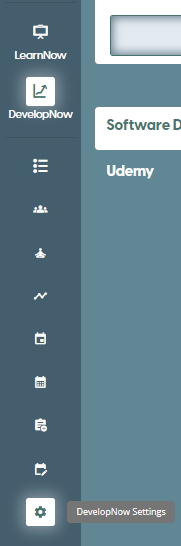
To access the page, click on the DevelopNow Settings icon when in DevelopNow as CPD admin.
This will land you on the Skillset Management page. Listed on the left of the page is the currently available skillsets.
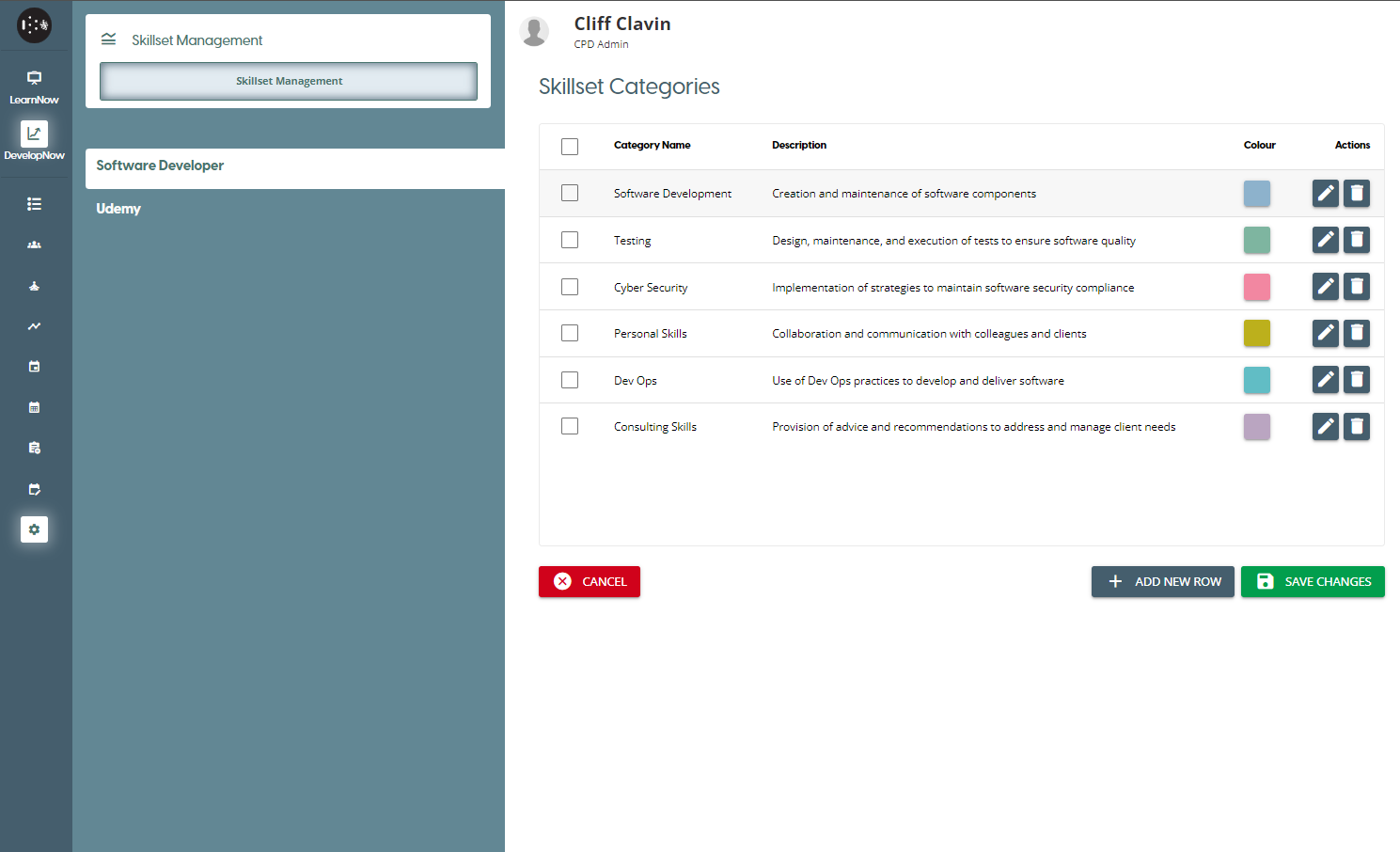
Reminder 📝
Skillsets cannot be created from this page. A skillset can only be created by a Company Admin in the User Management portal. To see how to create a Skillset click here
Adding,Removing and Editing a Skillset Category
Adding
To add a category to a Skillset, click on the '+ Add New Row' button to start the process. This will insert an editable row into the table.
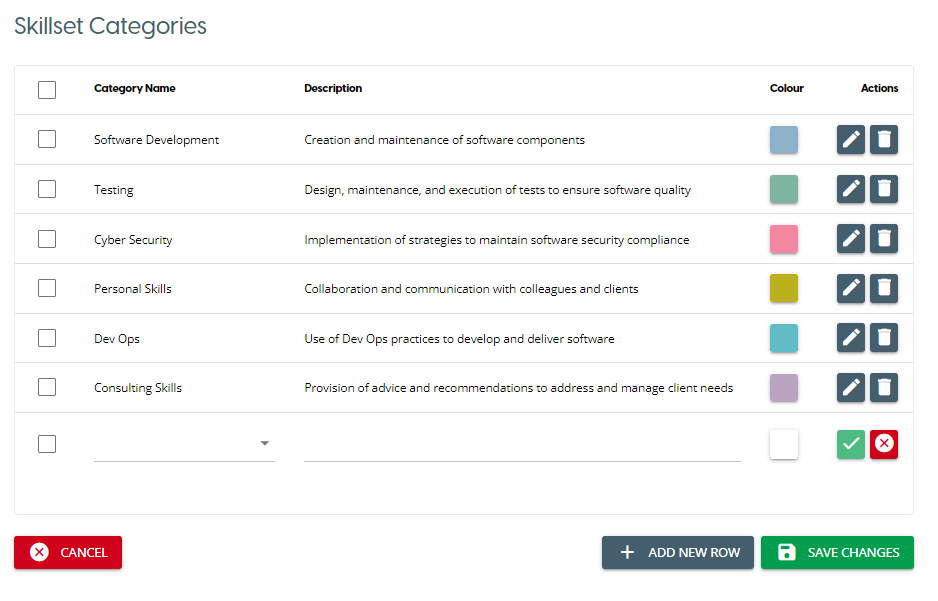
If you wish to select an already existing Skill Category to insert, start typing into the first field to show a list of matching Skill Categories. If you wish to create a new category instead, click on the 'Create ...' option instead.
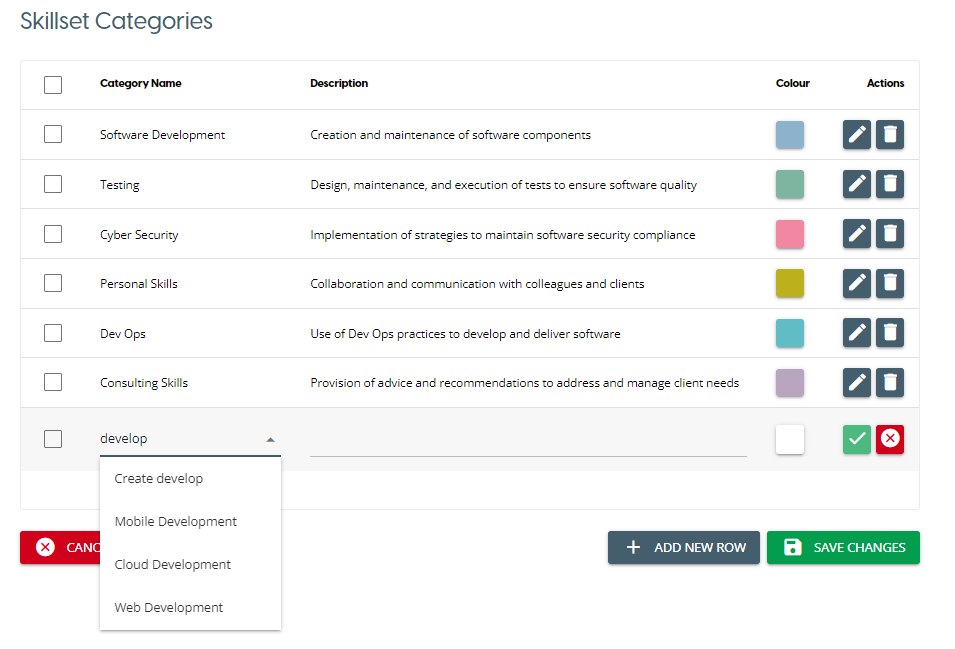
Once you have selected a category, you can edit it's description and colour in each respective column. Once you are satisfied with your choices, click on the 'Confirm Changes' icon to save the changes in that current row.
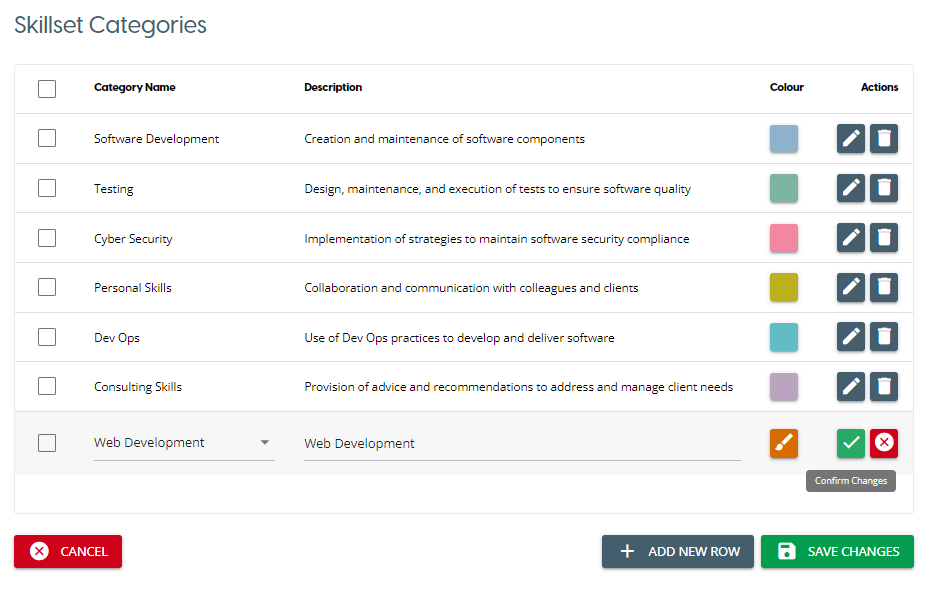
Repeat this step as many times as you like, and once you are finished click on the 'Save Changes' button to save all changes made to the Skillset.
Removing
To remove a Skill Category, click on the Bin icon in the row to remove it from the Skillset. This will only remove the association from the Skillset, and will not delete the Skill Category outright.
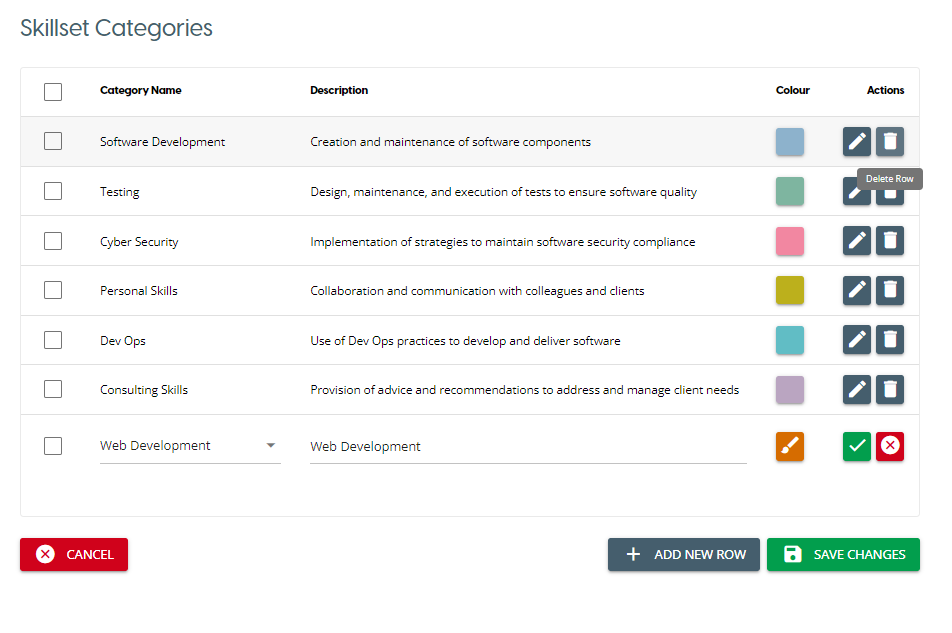
Once you have editing the Skillset, you must click 'Save Changes' to permanently apply those changes.
Editing
To edit a Skill Category, click on the Pencil icon in the row to out the row in an editable state. This will allow you to modify the colour and description of the current Skill category, or allow you to replace the current Skill Category with a new one.
Once you have finished editing the Skillset, you must click 'Save Changes' to permanently apply those changes.