Analytical Report Exports
User Management Portal > Companies
Description
As a company admin, I want to be able to export company data.
Applicable User Roles
List of roles that have access or can use this feature.
Company Admin
How To
There are two ways to access the Export data settings page:
- Directly through the Burger Menu
- Going to the Company settings page, then selecting the

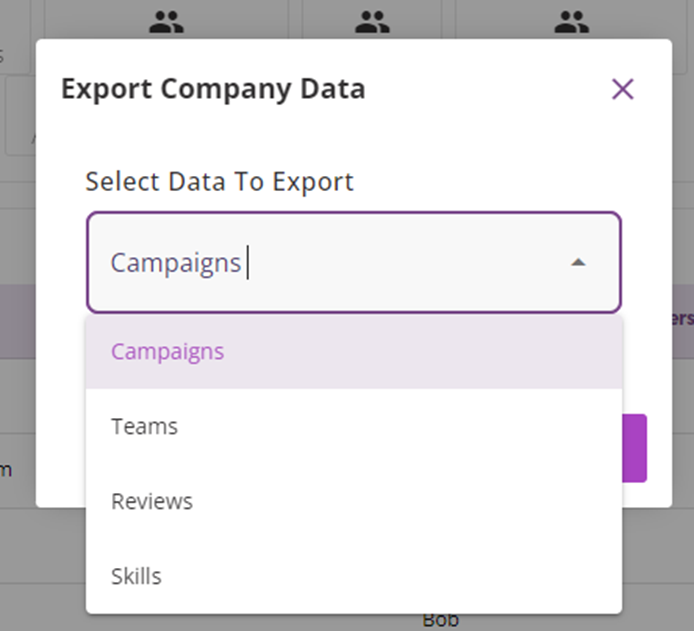
Clicking on this will open a pop-up that will allow the user to download one of several reports showing different company data. All data exports are in the. json format.
-
Campaigns – Contains campaign details and the status of the applicants on each campaign. Also includes Tag data.
-
Teams – A list of teams in DevelopNow and the user details associated with them
-
Reviews – A list of review processes, including user details and the status of each. Includes progress score ratings.
-
Skills – A list of users who have skills in DevleopNow. Shows both current skill score and requested skill score.