Form Administration
User Management Portal > Form Administration
Description
As company admin, I have the ability to configure company wide forms that handle personal data so that I know we are following regulations and only collecting the data we need.
Applicable User Roles
List of roles that have access or can use this feature.
Company Admin
Diversity, Equality and Inclusivity Forms
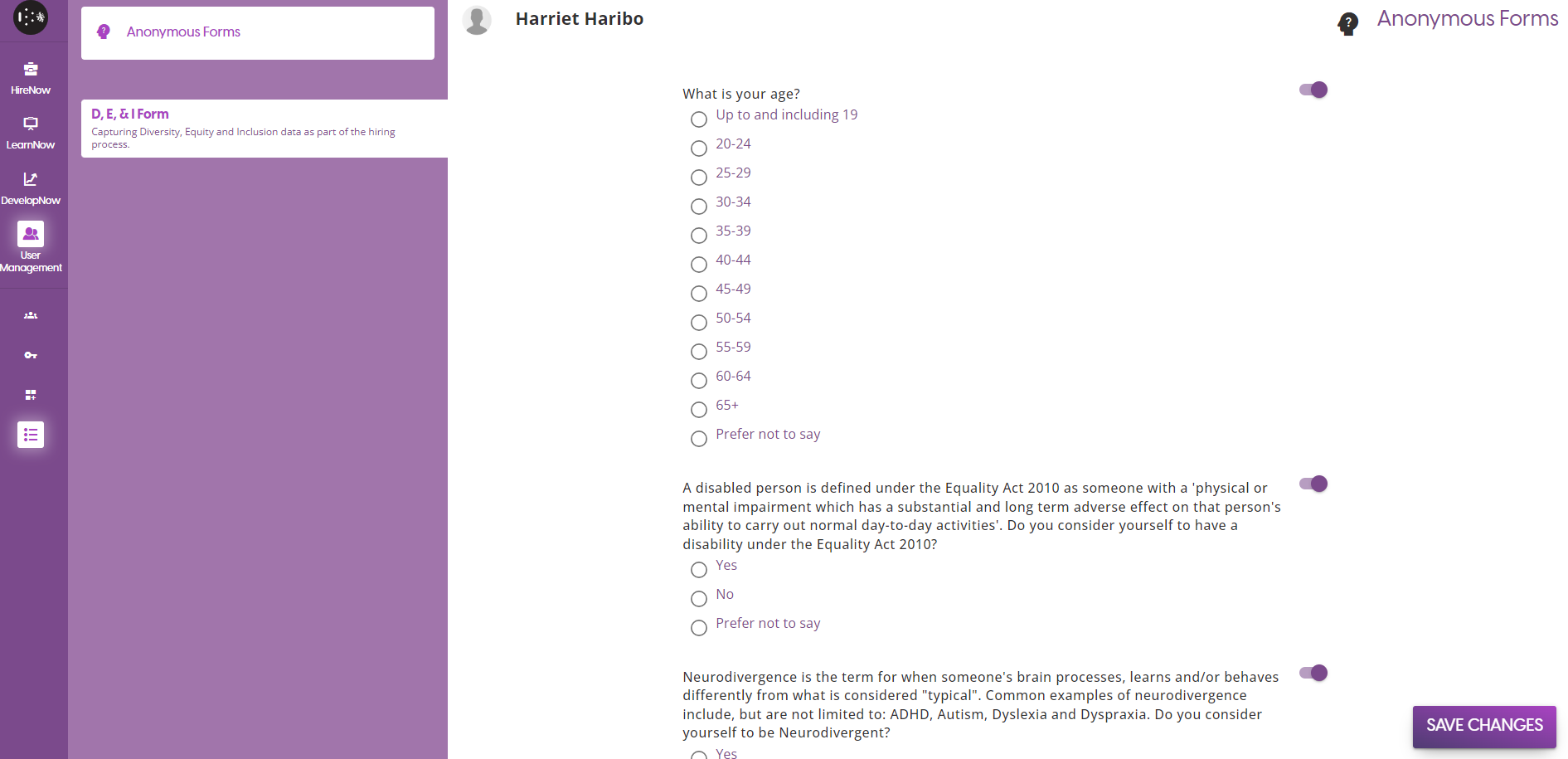
The D,E & I form is a form which collects sensitive information from applicants in the HireNow portal at the start of their application. The data that is being collected falls under the category of Protected Characteristics, and therefore the submissions are hidden and not displayed to anyone who is part of the hiring process.
Due to the sensitive nature of the data being collected, the questions are pre-generated to ensure they follow data regulations. They cannot be edited via the platform, and you must contact SkillsNow Support if you wish to edit the wording.
When you first access the D,E & I form page, all questions will be disabled by default. In this state, the form itself is also disabled and cannot be selected during campaign creation.

If you want a question to appear on the form, click on the toggle to change it to the Enabled state. This also works in reverse, so to remove a question ensure that the question toggle is in the Disabled state.


Once you are happy with the changes you have made, click on the Save changes button to save the current status of the form.
To enable the D,E and I form, you must select it during Campaign Creation. The user guide for that can be found here - Campaign Creation User Guide