Review Process Flexibility
Portal Navigation
DevelopNow Portal > Team Development > "→" (in Upcoming Reviews)
Description
As a team leader, I want to be able to step a team member back a step during a review process
Applicable User Roles
List of roles that have access or can use this feature.
Applicable User Roles
Team Leader
How To
A new feature introduced to review processes is the ability to revert to previous steps. When viewing the review process steps of an in-progress review process, the current step will have a revert button.
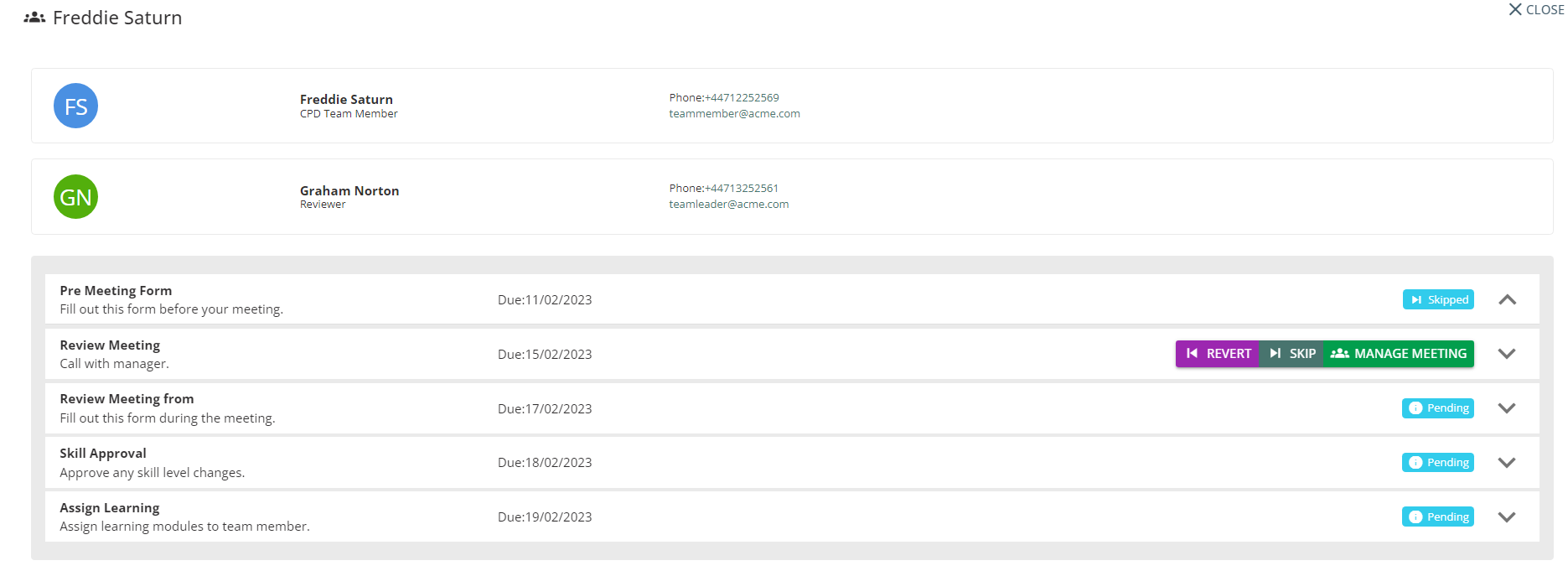
Clicking on this button will open a pop-up box to confirm the choice. Once the choice has been confirmed, the review process will roll back to the previous step. The team members previous submissions will not be removed, and any assigned learning or approved skills will not be reverted.